Have you ever sat down at your desk, looked at your mounting to-do list, and felt that sudden, overwhelming wave of mental fog? I’ve been there more times than I’d like to admit—staring at a screen while my brain feels like it has fifty different tabs open at once. We all want to feel like we’re actually making progress, but between work deadlines and trying to maintain a semblance of a personal life, it’s easy to feel like you’re just spinning your wheels. Finding the best productivity apps isn’t about adding more digital noise to your life; it’s about finding those few, reliable tools that actually help you reclaim your focus and quiet the chaos.
In this post, I’m stripping away the complexity and sharing my personal favorites that have truly helped me find my rhythm. I’ve narrowed it down to five essential tools that I believe can transform your daily workflow from frantic to functional. We’re going to walk through how each one works and, more importantly, how you can use them to simplify your routine without feeling like you’re working harder. Let’s dive in and find the perfect digital companions to help you achieve that much-needed balance.
Table of Contents
- Getting Your Brain on Paper with Todoist
- Finding Your Flow with Forest
- Organizing Your Chaos with Notion
- Keeping the Big Picture in View with Trello
- Mastering Your Schedule with Google Calendar
- Wrapping Up: Finding What Works for You
- A Little Reminder for the Busy Days
- Finding Your Flow
- Frequently Asked Questions
Getting Your Brain on Paper with Todoist
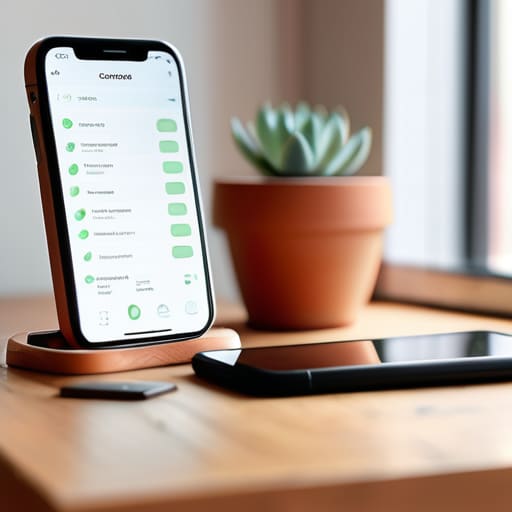
We’ve all had those days where your brain feels like it has fifty different browser tabs open at once, right? That’s exactly where Todoist comes in to save the day. I started using this app when I was juggling freelance writing gigs and my old corporate job, and it honestly felt like a weight lifted off my shoulders. It’s a super straightforward task manager that lets you jot down everything from “buy more potting soil” to “finish quarterly report” in just a few seconds.
Finding Your Flow with Forest

If you’re anything like me, you probably find yourself reflexively reaching for your phone the second a task gets a little bit difficult or boring. I used to spend way too much time scrolling through social media when I should have been working on my budget or cleaning up my living room. That’s why I fell in love with Forest—it turns your focus time into a whimsical little game. When you want to concentrate, you plant a virtual seed, and if you stay off your phone, that seed grows into a beautiful tree.
Organizing Your Chaos with Notion
I’ll be the first to admit that Notion can feel a little bit intimidating when you first open it up. It’s essentially a blank canvas that can become anything from a simple journal to a massive project management hub. When I first started using it, I felt a bit lost, but once I realized I could build my own customized workspace, everything clicked. It’s become my go-to “second brain” where I keep my reading lists, my meal plans, and even my notes for upcoming freelance projects.
Keeping the Big Picture in View with Trello
Sometimes, seeing a massive project laid out in a list can feel a bit overwhelming—it’s like looking at a mountain you have to climb. That’s why I’m such a fan of Trello’s visual approach. It uses a system of boards, lists, and cards that feels a lot more like moving sticky notes around on a physical whiteboard. For me, this is perfect for larger, multi-step projects like remodeling a piece of furniture or planning a big community event.
Mastering Your Schedule with Google Calendar
I used to be the person who lived by a handwritten planner, but let’s be real—it’s hard to update a paper book when your schedule changes five times in one afternoon. Switching over to Google Calendar was a total game-changer for my sense of daily structure. It’s more than just a place to put appointments; it’s a way to visualize how much time you actually have in a day, which helps prevent that feeling of being constantly rushed.
Wrapping Up: Finding What Works for You
Remember that there’s no “perfect” app out there—only the one that actually fits into your unique daily rhythm without adding more stress.
Don’t get caught in the trap of “productivity porn”; the goal is to spend less time organizing your life and more time actually living it.
Start small by picking just one tool to test out this week, so you don’t feel overwhelmed trying to overhaul your entire routine all at once.
A Little Reminder for the Busy Days
“At the end of the day, the best productivity app isn’t the one with the flashiest features—it’s the one that actually helps you clear the mental clutter so you can finally close your laptop and enjoy your evening.”
Emma Thompson
Finding Your Flow
At the end of the day, the “best” app is entirely subjective and depends on how your unique brain works. Whether you found a sense of calm through a minimalist task manager, or finally managed to organize your chaotic thoughts with a digital notebook, the goal remains the same: reducing that constant mental noise. Remember, these tools aren’t meant to turn you into a productivity robot; they are simply there to handle the heavy lifting of organization so you can focus on what actually matters. Don’t feel like you have to adopt every single feature at once—just pick one that feels intuitive and let it work for you.
As you start implementing these new digital helpers into your routine, please be kind to yourself if things don’t feel perfectly streamlined overnight. Building a new habit is a lot like my urban garden—it takes a little bit of patience, some trial and error, and a whole lot of consistency to see things truly bloom. The most important thing is that you are taking these small, intentional steps toward reclaiming your time and creating a life that feels manageable and joyful. You’ve got this, and I’m right here cheering you on as you find your own unique rhythm!
Frequently Asked Questions
How do I know if I'm spending more time managing the apps than actually getting my work done?
It’s a tricky balance, isn’t it? I’ve definitely been there—spending more time color-coding my calendar than actually checking off tasks. You’ll know you’re stuck in “productivity theater” if you feel busy but not effective. If you’re constantly tweaking settings, moving digital sticky notes around, or jumping between apps to “organize” your day instead of starting your actual work, that’s a huge red flag. If the tool feels like a chore, it’s time to simplify.
Is it better to stick to one "super app" that does everything, or should I use a few specialized tools for different tasks?
Honestly, I’ve been down both paths, and there’s no one-size-fits-all answer. While a “super app” feels great for keeping everything in one place, it can sometimes feel a bit clunky or overwhelming. Personally, I find that a “hybrid” approach works best for me: one reliable hub for my main calendar and tasks, paired with a couple of specialized tools for things like deep focus or note-taking. It’s all about finding the balance that feels least stressful for you!
Are there any good free options that won't break the bank if I'm just starting to organize my life?
Oh, I hear you! The last thing we need when trying to get organized is another monthly subscription draining our bank accounts. Honestly, when I first started my freelance journey, I stuck strictly to free versions. Apps like Notion, Trello, and Google Calendar have incredibly generous free tiers that are more than enough to get your life in order. Start there—you can always upgrade later once you’ve found your rhythm!