I still remember sitting at my cluttered kitchen table, heart hammering against my ribs, staring at a frozen screen while my Wi-Fi signal flickered like a dying candle. I had spent hours prepping, but in that moment, all I could think about was whether the recruiter could hear my dog barking in the background or see the pile of laundry just out of frame. We’ve all been there, feeling like we need a professional studio setup just to land a decent role, but honestly? Most of those high-stress remote job interview tips you see online are just plain overwhelming.
I’m not here to tell you that you need a ring light and a soundproof room to succeed. Instead, I want to share the real-world strategies I’ve learned from years of navigating the corporate world and the freelance life. I’m going to break down the simple, practical steps you can take to manage your tech, your space, and most importantly, your nerves. Let’s skip the fluff and focus on how you can show up as your best, most authentic self from the comfort of your own home.
Table of Contents
Mastering Your Remote Interview Technical Setup
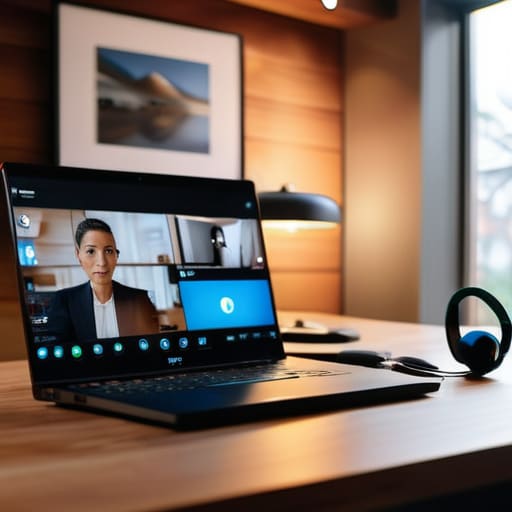
Before you even think about your outfit or your rehearsed answers, let’s talk about the “behind-the-scenes” stuff. I used to get so flustered right before a call because my internet would lag or my room felt too dark, but I’ve learned that a solid remote interview technical setup is half the battle. First, give your Wi-Fi a quick test run. If you can, plug directly into your router—it’s a total lifesaver for preventing those awkward, frozen frames. Also, take a moment to check your audio; using a headset can often make you sound much clearer than your laptop’s built-in mic.
Next, let’s look at what the recruiter actually sees. You don’t need a fancy studio, but a little bit of intentionality goes a long way. Try to find a spot with a professional background for video calls, like a tidy bookshelf or even just a plain, neutral wall. Most importantly, pay attention to your lighting. Instead of having a bright window behind you—which makes you look like a mysterious silhouette—try to face the light source. It makes you look bright, alert, and ready to go!
Overcoming Virtual Interview Anxiety With Ease

I completely get it—even though I’ve done plenty of these, my heart still does a little nervous dance right before the camera turns on. It’s that feeling of being watched through a tiny lens while trying to look perfectly composed. If you’re struggling with overcoming virtual interview anxiety, please know you aren’t alone. One thing that really helps me is treating the ten minutes before the call as a “buffer zone.” Instead of frantically checking your notes, try some light stretching or even just sitting quietly with a cup of herbal tea. It helps ground you so you aren’t entering the meeting in a state of high alert.
Another trick I swear by is focusing on your digital interview body language. When we’re nervous, we tend to shrink or fidget, which can come across as a lack of confidence. I like to practice sitting up straight and consciously smiling at the camera—not just the screen—to create a sense of genuine connection. By mastering these small physical cues, you’ll feel much more in control of the conversation. Remember, the goal isn’t to be a perfect robot; it’s just to show them the real, capable you.
5 Little Things That Make a Big Difference
- Dress for the role, even if you’re staying in your pajamas! I know it’s tempting to keep those cozy sweatpants on, but putting on a professional outfit—even just from the waist up—really helps shift your mindset into “work mode” and boosts your confidence.
- Curate your background to keep the focus on you. You don’t need a fancy home office, but try to find a spot with a neutral wall or a tidy bookshelf. It helps prevent the interviewer from getting distracted by a pile of laundry or a cluttered kitchen counter in the frame.
- Master the art of the “digital eye contact.” This one is tricky, but instead of looking at the person’s face on your screen, try to look directly into your webcam when you’re speaking. It feels a little weird at first, but to them, it looks like you’re looking them right in the eye!
- Prepare a few “go-to” questions to show you’re truly interested. I always keep a little notepad next to my laptop with three or four questions written down, like “What does a typical day look like for this team?” It saves you from that awkward “um, I don’t have any questions” moment when they ask.
- Practice your “elevator pitch” out loud. Since you can’t rely on physical presence or a firm handshake, your words and energy have to do the heavy lifting. Spend a few minutes chatting through your experience to a mirror so you can deliver your answers smoothly without feeling like you’re reading a script.
Quick Wins for Your Next Virtual Interview
Treat your digital space like a real room; find a quiet, well-lit corner so you can show up as your best, most focused self.
Remember that it’s okay to take a breath; if you feel a wave of nerves, a quick grounding exercise can help you find your center again.
Focus on connection over perfection; even if a small tech hiccup happens, staying calm and friendly matters way more than a flawless connection.
A Little Perspective for Your Big Day
“Remember, the person on the other side of that screen is just another human being looking for a teammate; don’t let the tech or the distance make you forget that your unique personality is your greatest asset.”
Emma Thompson
You've Got This!
At the end of the day, navigating a remote interview is really just about managing the small things so they don’t get in the way of the big things. By double-checking your tech setup ahead of time and finding those little ways to calm your nerves, you’ve already cleared the biggest hurdles. Remember, it’s not about being a tech wizard or having a perfectly curated studio; it’s about being prepared enough to let your true personality shine through the screen. When you focus on these simple, practical steps, you take the chaos out of the equation and leave more room for the actual conversation.
I know how intimidating it can feel to sit in front of a webcam and try to land your dream role, but please don’t forget how much you have to offer. An interview is just a two-way conversation, a chance to see if a company is the right fit for your life, just as much as it is for them. Take a deep breath, put on your favorite pair of lucky socks, and go into that call with your head held high. You are more than capable, and I am rooting for you every single step of the way!
Frequently Asked Questions
What should I do if my internet connection starts acting up right in the middle of the interview?
Oh, the dreaded spinning loading icon! Honestly, it happens to the best of us. If your connection starts acting up, don’t panic—staying calm is half the battle. First, try quickly switching to your phone’s mobile hotspot if it’s more stable. If that doesn’t work, send a quick message or email to your interviewer immediately to let them know. It’s much better to address the glitch head-on than to sit there in awkward silence!
How can I make sure my background looks professional without spending a ton of money on a home office makeover?
You don’t need a fancy, Pinterest-perfect office to look the part! I’m a huge fan of upcycling, so think about what you already have. A simple bookshelf, a healthy indoor plant, or even a clean, neutral-colored wall works wonders. The trick is to declutter first—clear away any laundry piles or distracting knick-knacks. If your space is a bit chaotic, try positioning yourself so a plain corner is behind you. Keep it tidy, keep it simple!
Is it okay to have a few notes or a cheat sheet visible on my screen, or does that look like I'm not being authentic?
Honestly, I think it’s totally okay—and actually a really smart move! I used to worry it looked “fake,” but there’s a big difference between reading a script and having a few quick bullet points for reference. Just keep them near your camera so your eyes don’t wander too much. Think of it as a safety net rather than a crutch. It helps you stay on track so you can focus on the conversation itself!